UI↓
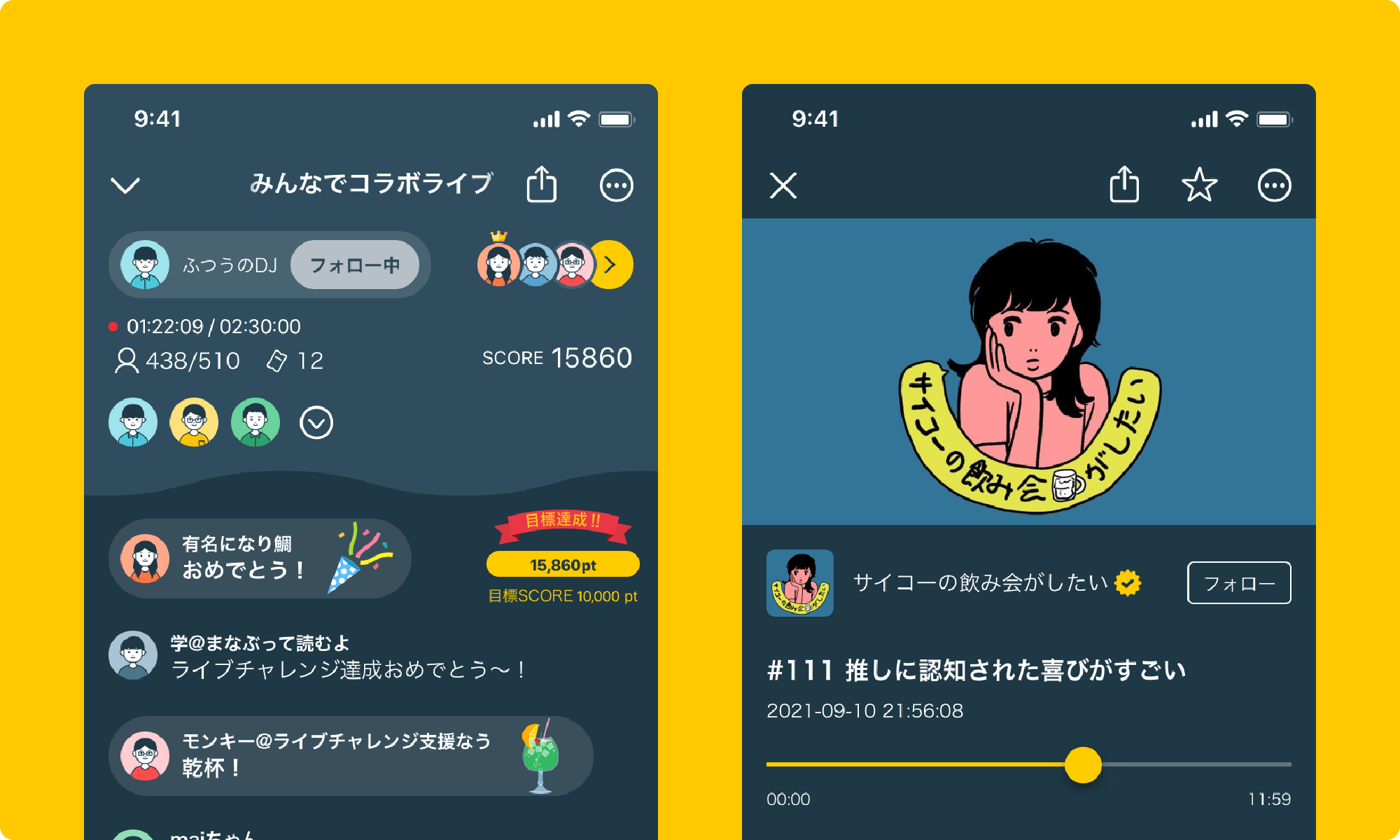
Radiotalk is a consumer-to-consumer audio streaming platform that supports two formats: live and recorded.
Audio streaming began with radio, but bringing it to smartphones made it possible to visualize excitement and let listeners send their feelings directly to creators.
A defining feature of audio streaming is that no faces or avatars appear. In turn, text can be used to the fullest, so on the live screen I focused on making comments easy to read.
On the recording screen, I focused on ease of playback and operation, with listening clarity, background playback and listening while doing other things in mind.
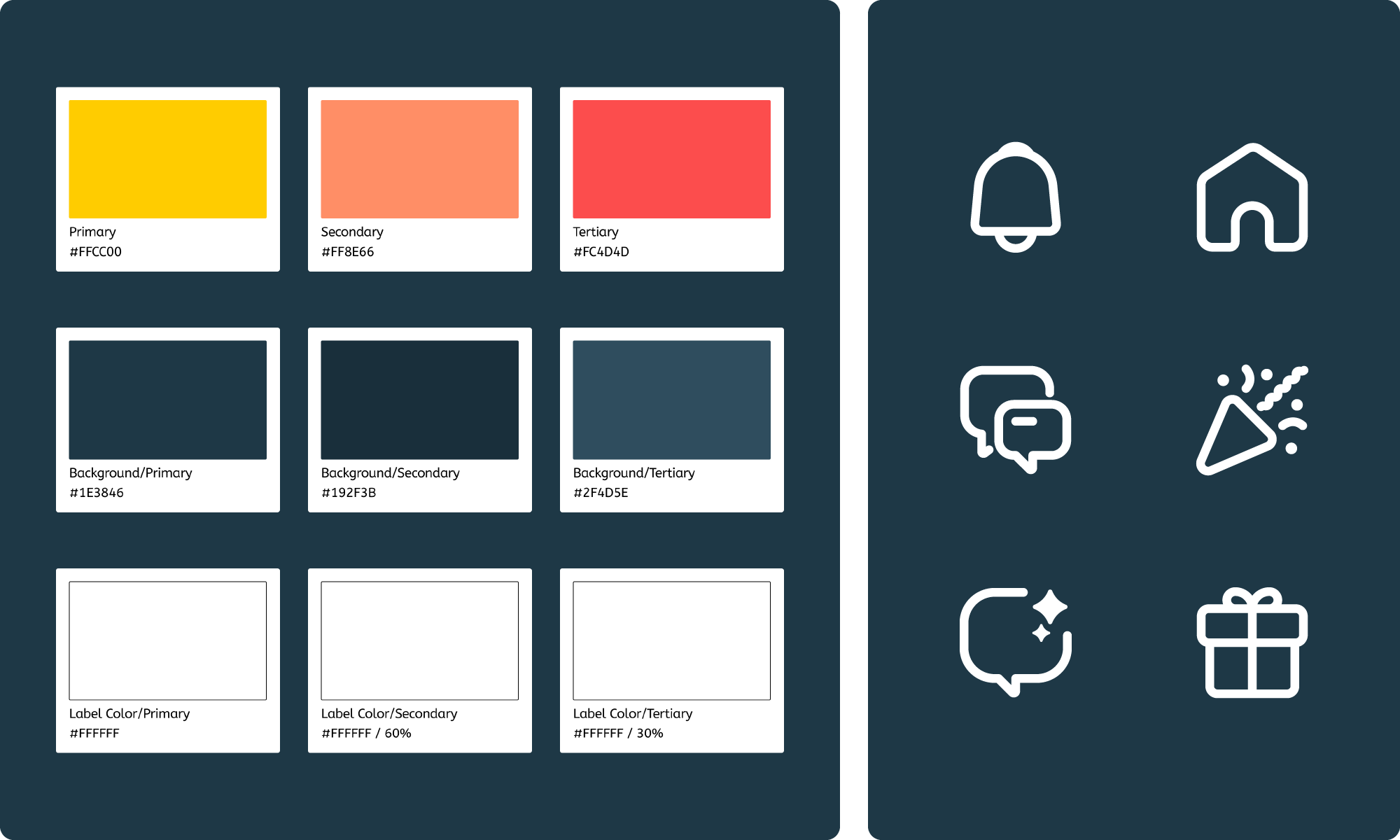
Radiotalk is a service that lives on its content, so I kept the decoration standard so as not to detract from what users add themselves, such as user icons and live and recording thumbnails. For that reason, the UI uses as few colors as possible, applied according to set rules.
Yellow is for things that should stand out or require action, white for text, navy for backgrounds, and red for warnings and irreversible actions.
Accordingly, everything that stays in the app for a long time, such as standard gifts and topic icons, is colored according to the brand color guide.
For system icons too, I used each platform's own icons so as not to detract from user content, and created any missing icons so that they would fit both platforms.
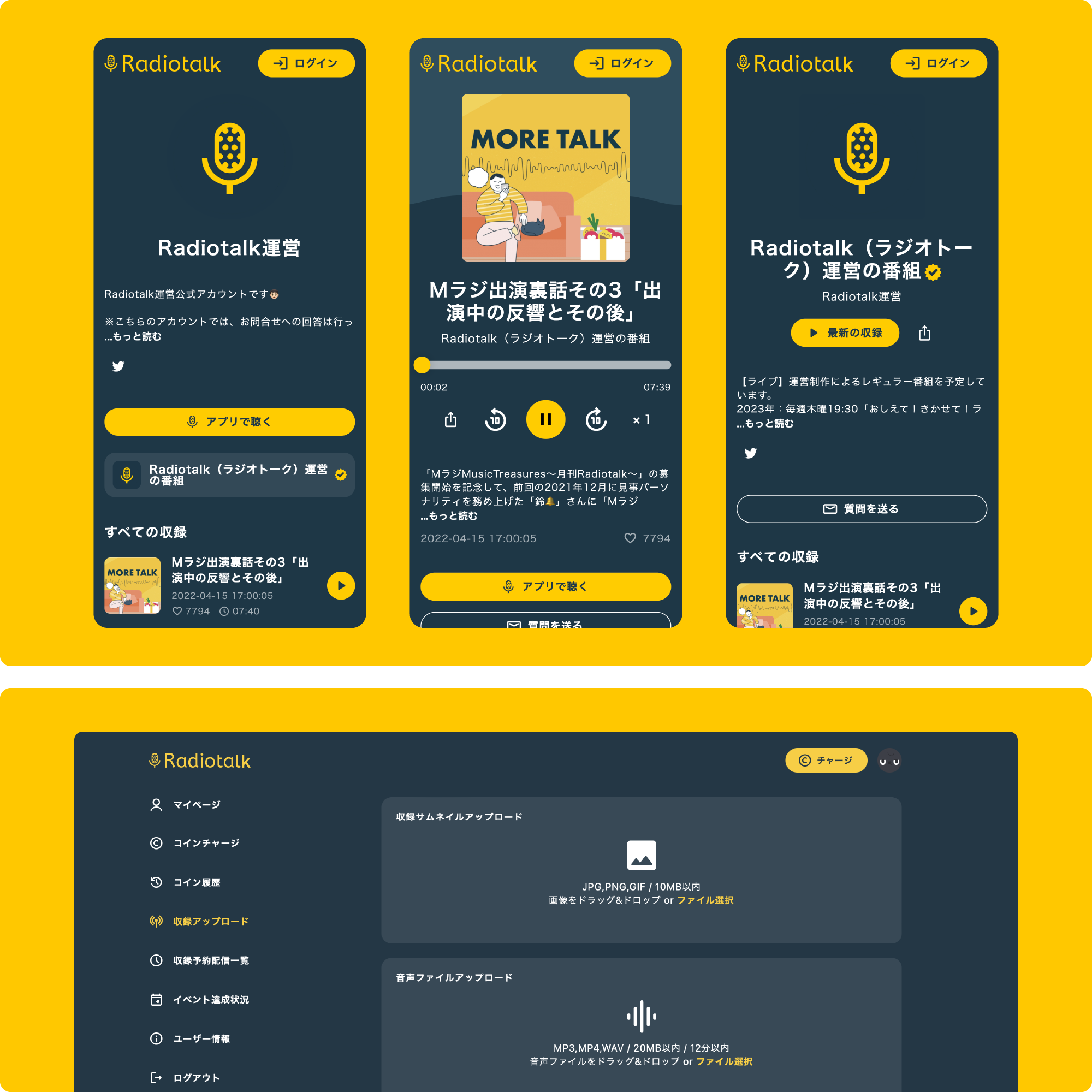
For the web version, I designed and coded screens including the recording, program and My Page screens. On smartphones, the playback screen stays as close to the app as possible, with a simple look that doesn't get in the way of listening.
It also offers features such as playback speed and 10-second skip, bringing the controls as close to the app as possible to show how easy and enjoyable it is and encourage people to install the app.